After completing the technology integration project, I can definitely see how some lessons can be tied together using technology. I chose to focus my lesson around an environmental learning lesson. I focused on the 2nd grade age level, as that is where I will be teaching next year. The technology I chose to use was digital storytelling. I decided that this form of technology specifically would be very useful in helping students make real-life connections to material that they are learning in the classroom. Additionally, because they are personally invested in the creation of this story from beginning to end, they have a finished product that they can be proud to share within their school and local communities. I have compiled all of the portions of this unit onto a website, please feel free to look it over.
I really enjoyed this project, while it did take a lot of thought and effort to put together. Throughout my time as a pre-service teacher at Michigan State, I have had plenty of opportunities to create lessons to be used in my future classrooms. However, I have not had the opportunity until now to choose a specific topic that I am particularly passionate about. After completing this project and this class, using technology seems a lot more do-able in my future classroom.
Saturday, April 19, 2008

Thursday, April 17, 2008
Podcasting
For the podcasting assignment, we were asked to create a video podcast that could be viewed and heard in an mp3 format. We started by creating a slideshow of images using Microsoft Photo Story 3. We then were asked to use audacity to record a sound to follow the story of the pictures. This sound file could then be added to the slideshow to result in a video podcast. Unfortunately, while I started, I did not complete this task due to my lack of access to a computer with a microphone.
I do think that there would be several occasions where a podcast would be a cool way to share new information. I think that a podcast, especially a video podcast would be a way for a student to take a virtual tour of the school, a classroom, or an area outside the classroom, maybe a museum. In this way, students could use a podcast to take a kind of virtual field trip on their own time. Teachers who are not provided the funds to take an entire class on a field trip could use this idea as an alternative option.
Additionally, I think that teachers could provide podcasts occasionally as a way to provide extra support to ELL and Learning Disabled students. Students could use podcasts to listen to some extra tips or extension activities as part of a take home support system. For example, a teacher could create a kind of "book on tape" complete with pictures that could be taken from around the school or local learning environment.
Overall, I feel that a podcast could provide great supplements or extensions to in class work. However, podcasts do require quite a bit of planning and work. Therefore, I do not think that it would be practical for a teacher to use on a daily basis in an elementary classroom.
I do think that there would be several occasions where a podcast would be a cool way to share new information. I think that a podcast, especially a video podcast would be a way for a student to take a virtual tour of the school, a classroom, or an area outside the classroom, maybe a museum. In this way, students could use a podcast to take a kind of virtual field trip on their own time. Teachers who are not provided the funds to take an entire class on a field trip could use this idea as an alternative option.
Additionally, I think that teachers could provide podcasts occasionally as a way to provide extra support to ELL and Learning Disabled students. Students could use podcasts to listen to some extra tips or extension activities as part of a take home support system. For example, a teacher could create a kind of "book on tape" complete with pictures that could be taken from around the school or local learning environment.
Overall, I feel that a podcast could provide great supplements or extensions to in class work. However, podcasts do require quite a bit of planning and work. Therefore, I do not think that it would be practical for a teacher to use on a daily basis in an elementary classroom.
Sunday, March 23, 2008
Map Mashup!
View Larger Map
For this week's assignment, I chose to design a lesson based around National Parks. This lesson would be appropriate for grades 4-5. Through the use of map mashup, students are able to visually place National Parks on a geographic map. They are able to take a mini-tour and gain information at each site. I really liked that I was able to place pictures, links, and information on each placemark. I also liked that the Google map application provided a link for viewing the map on Google Earth.
I can definitely see how the use of a map mashup could help with lessons in the classroom. Not only could students use this application in subject areas of geography and social studies, but this could be applied to a language arts lesson. During the reading of a book, maps can be used to track characters' activities as the narrative progresses. Using map applications such as Google map would be a great resource for the classroom.
Tuesday, February 26, 2008
VoiceThread and Digital Storytelling
After working on this project, I can definitely see some obvious advantages as well as disadvantages to using digital storytelling. By creating a slideshow to accompany important facts or ideas, students can make a more emotional and personal connection to the information. For my VoiceThread, I chose to do a lesson on endangered species. In this way I could introduce several species in a few different situations where they might be encountered (ex. the zoo vs. the wild). I really like being able to place images with the information because it definitely benefits visual learners and provides obvious examples to students.
The downside was that creating the slideshow took a lot of time. I had a lot of problems with placing the photos I wanted to use onto VoiceThread. I tried uploading through a URL and when that didn't work, I tried saving to my computer to upload. I'm thinking maybe the site was having problems while I was trying to do this. However, once I got my pictures onto the site, I did like that I was able to rearrange and re-organize the photos. Also, I would have preferred to use my own voice for the comments instead of using a text based method of communication. However, the microphone on my laptop does not work, and I do not have access to an external microphone. For these reasons, this is a technology that I could see myself using occasionally, but not constantly. I think that a digital story would be a great introduction to a topic. Also, students could use digital storytelling to create a slideshow showcasing important ideas from a lesson. This would be a form of assessment that would be engaging and informative.
Thursday, February 14, 2008
Crediting Copyrighted Photography
This week we learned about different ways to do an image search on the web. Before, I focused mostly on google image search when I needed visuals for projects and PowerPoints. I have used photo hosting websites such as Webshots, but never really thought to use it as a search engine for different pictures. Also, I never really knew how to cite the source for images acquired from an online source. Usually, I included only the URL and the date the image was found. Now, if a student were to come to me and ask how to find and cite an image, I would have a clear answer for them. I would help them use a image hosting site such as flickr to search for and select an appropriate image. I would then show them how to check if it is legal to use and also how to cite an attribution appropriately using the source(HTML), author and license type.
We also learned how to use Creative Commons to manage the copyrights on our own images. I was especially interested in this as I post many pictures from some of my previous travels. I learned how to allow others to use my work as long as it is cited.
Much like the other websites and programs we have explored, the content of the pictures may be an issue. Safety of the students online is definitely something to think about. I also think that the use of a website such as flickr would be very useful in the classroom for sharing photographs that would be useful to the students, parents, colleagues, and ot here days. I feel like it may be useful to display examples of display boards and lessons also. This would help myself as the teacher also. In this way I could document boards or lessons that I have designed and liked. These would then be saved for easy access anywhere should I want or choose to use those ideas in the future.
Attribution:
Original Image: "Crayola Lincoln Logs"
URL: http://farm1.static.flickr.com/152/404321726_1dd8836d14_m.jpg
By: laffy4k
Released under a Creative Commons Attribution 2.0 Generic License
URL: http://creativecommons.org/licenses/by/2.0/deed.en
We also learned how to use Creative Commons to manage the copyrights on our own images. I was especially interested in this as I post many pictures from some of my previous travels. I learned how to allow others to use my work as long as it is cited.
Much like the other websites and programs we have explored, the content of the pictures may be an issue. Safety of the students online is definitely something to think about. I also think that the use of a website such as flickr would be very useful in the classroom for sharing photographs that would be useful to the students, parents, colleagues, and ot
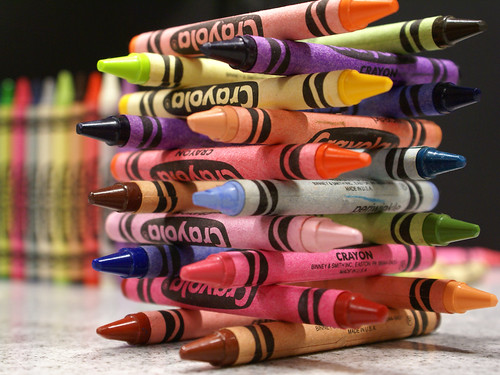 here days. I feel like it may be useful to display examples of display boards and lessons also. This would help myself as the teacher also. In this way I could document boards or lessons that I have designed and liked. These would then be saved for easy access anywhere should I want or choose to use those ideas in the future.
Attribution:
Original Image: "Crayola Lincoln Logs"
URL: http://farm1.static.flickr.com/152/404321726_1dd8836d14_m.jpg
By: laffy4k
Released under a Creative Commons Attribution 2.0 Generic License
URL: http://creativecommons.org/licenses/by/2.0/deed.en
Friday, February 8, 2008
Life Cycle Unit Plans
This week, our task was to plan a unit lesson on the topic of our choice. We set up a google calendar account which would be used to communicate daily lesson activities to parents. We also integrated technology into the unit following the MET (Michigan Education Technology) Standards for students. Since I am an integrated science major and feel that science is the most interesting, I chose to plan my lesson around a life science topic. Specifically, I chose the topic of life cycles. This was planned for first graders since that is who I hope to teach one day.
The GLCE's (Grade Level Content Expectations) that I used were the following:
L.OL.E.1 Life Requirements- Organisms have basic needs.
Animals and plants need air, water, and food. Plants also
require light. Plants and animals use food as a source
of energy and as a source of building material for growth
and repair.
L.OL.01.13 Identify the needs of animals.
L.OL.E.2 Life Cycles- Plants and animals have life cycles. Both
plants and animals begin life and develop into adults, reproduce,
and eventually die. The details of this life cycle are different for
different organisms.
L.OL.01.21 Describe the life cycle of animals including the following
stages: egg, young, adult; egg, larva, pupa, adult.
The MET standards are:
Use a variety of age-appropriate technologies for sharing information (e.g., drawing a picture, writing a story)
Be aware of how to work with others when using technology tools (e.g., word processors, drawing tools, presentation software) to convey ideas or illustrate simple concepts relating to a specifi ed project
Weeklong Plans:
Monday: Students will be introduced to the basic needs of an organism. Air, water, and food are needed for an organism to grow and survive. Students will be asked to first brainstorm the basic needs and also some things different organisms need to survive (for example, plants also need light). These ideas will be recorded onto an online concept map. This map can be then printed and distributed to individual students.
Tuesday: Students will be working on a teacher guided interactive website discussing the life cycle of a seed. The students will be thinking critically in groups to determine the cycle of a seed to become a plant.
Wednesday: A video off the youtube website gives the students an introduction to the life cycle of a butterfly. This video is upbeat and designed for a young audience. The purpose is to help students relate the concept of a life cycle to a real life experience. Butterflies are something that most students will be able to relate to.
Thursday: Integrating a fun art activity with the life cycle unit, students will be able to illustrate the last two parts of the butterfly life cycle. This is the pupa and the adult butterfly. The activity is described in the Where do butterflies come from? website.
Friday: As the last day spent on the unit, student will use interactive websites to solidify their learning and understanding of the life cycles of animals. They will work in pairs to complete online activities and games regarding the life cycle. All web activity will be monitored and assisted by teachers.
All of the resources used throughout this unit have been saved to a del.icio.us account that I have set up. These particular resources have been tagged with the label: lifescience.
After completing this weeks unit, I can definitely see how social bookmarking can be shared throughout a community of people. Especially as a teacher, using an account such as del.icio.us enables me to share useful links with parent, colleagues, and students for them to access at home. Social bookmarking also is very useful is allowing me to search resources that have been found by others who use the site. Because I can see the popularity of the website, I have a way of assessing how beneficial it may be for myself. I can see myself using social bookmarking in my classroom as a way to collect and share resources.
The GLCE's (Grade Level Content Expectations) that I used were the following:
L.OL.E.1 Life Requirements- Organisms have basic needs.
Animals and plants need air, water, and food. Plants also
require light. Plants and animals use food as a source
of energy and as a source of building material for growth
and repair.
L.OL.01.13 Identify the needs of animals.
L.OL.E.2 Life Cycles- Plants and animals have life cycles. Both
plants and animals begin life and develop into adults, reproduce,
and eventually die. The details of this life cycle are different for
different organisms.
L.OL.01.21 Describe the life cycle of animals including the following
stages: egg, young, adult; egg, larva, pupa, adult.
The MET standards are:
Use a variety of age-appropriate technologies for sharing information (e.g., drawing a picture, writing a story)
Be aware of how to work with others when using technology tools (e.g., word processors, drawing tools, presentation software) to convey ideas or illustrate simple concepts relating to a specifi ed project
Weeklong Plans:
Monday: Students will be introduced to the basic needs of an organism. Air, water, and food are needed for an organism to grow and survive. Students will be asked to first brainstorm the basic needs and also some things different organisms need to survive (for example, plants also need light). These ideas will be recorded onto an online concept map. This map can be then printed and distributed to individual students.
Tuesday: Students will be working on a teacher guided interactive website discussing the life cycle of a seed. The students will be thinking critically in groups to determine the cycle of a seed to become a plant.
Wednesday: A video off the youtube website gives the students an introduction to the life cycle of a butterfly. This video is upbeat and designed for a young audience. The purpose is to help students relate the concept of a life cycle to a real life experience. Butterflies are something that most students will be able to relate to.
Thursday: Integrating a fun art activity with the life cycle unit, students will be able to illustrate the last two parts of the butterfly life cycle. This is the pupa and the adult butterfly. The activity is described in the Where do butterflies come from? website.
Friday: As the last day spent on the unit, student will use interactive websites to solidify their learning and understanding of the life cycles of animals. They will work in pairs to complete online activities and games regarding the life cycle. All web activity will be monitored and assisted by teachers.
All of the resources used throughout this unit have been saved to a del.icio.us account that I have set up. These particular resources have been tagged with the label: lifescience.
After completing this weeks unit, I can definitely see how social bookmarking can be shared throughout a community of people. Especially as a teacher, using an account such as del.icio.us enables me to share useful links with parent, colleagues, and students for them to access at home. Social bookmarking also is very useful is allowing me to search resources that have been found by others who use the site. Because I can see the popularity of the website, I have a way of assessing how beneficial it may be for myself. I can see myself using social bookmarking in my classroom as a way to collect and share resources.
Saturday, February 2, 2008
Integrating Arts into the Classroom
For this week's assignment, we used a search engine such as google to research a topic that interests us. I really don't like teachers who stand at the front of the room and lecture students and then provide worksheets for them to fill out. I would rather have my students actively involved in their learning. I also have a passion for creativity and believe that art education is important in the classroom. For this reason, I chose to research different ways and ideas about using art and creative projects throughout the curriculum.
For my first search, I used the ~ function on google to search art in the classroom. The tilde function allowed me to search for multiple forms or meanings of the word art. I found this awesome website from the Getty Museum providing lesson plans that integrate art education with lessons in other subject areas such as science, math, history, etc. I thought this provided some great ideas for using visual arts on a normal day in the classroom.
In the same search, I found a website for teachers allowing for classroom design. I feel that designing a classroom takes creativity and careful attention to detail and to the students needs. This site, called Classroom Architect, provides a tool for planning a layout of your classroom. By clicking the homesite button on this site, I was led back to another useful source called 4teachers.org. This website has a lot of useful links for teachers to use technology in their classroom.
Next, I tried another search using the keywords integrated gallery|art|project lessons. The | feature let me ensure that all 3 words could be included in the search. The website that I found was entitled ArtsEdge and was hosted by the Kennedy Center. This site let the teacher search lesson plans by subject, artistic concentration (dance, music, theater, and visual), and grade level. The homepage also included important links to articles and reports, standards, "how-to's" etc.
All of the sites listed above were first evaluated by me to determine whether or not they came from a credible source. The sites above were provided by organizations such as the Getty Museum or 4Teachers. These sites were not commercial, shown by the URL ending with .edu or .org. These sites also provided links to pages describing the organizations and what they do. I hope that all of these sites will be useful resources to me in the future as I form my own lesson plans.
For my first search, I used the ~ function on google to search art in the classroom. The tilde function allowed me to search for multiple forms or meanings of the word art. I found this awesome website from the Getty Museum providing lesson plans that integrate art education with lessons in other subject areas such as science, math, history, etc. I thought this provided some great ideas for using visual arts on a normal day in the classroom.
In the same search, I found a website for teachers allowing for classroom design. I feel that designing a classroom takes creativity and careful attention to detail and to the students needs. This site, called Classroom Architect, provides a tool for planning a layout of your classroom. By clicking the homesite button on this site, I was led back to another useful source called 4teachers.org. This website has a lot of useful links for teachers to use technology in their classroom.
Next, I tried another search using the keywords integrated gallery|art|project lessons. The | feature let me ensure that all 3 words could be included in the search. The website that I found was entitled ArtsEdge and was hosted by the Kennedy Center. This site let the teacher search lesson plans by subject, artistic concentration (dance, music, theater, and visual), and grade level. The homepage also included important links to articles and reports, standards, "how-to's" etc.
All of the sites listed above were first evaluated by me to determine whether or not they came from a credible source. The sites above were provided by organizations such as the Getty Museum or 4Teachers. These sites were not commercial, shown by the URL ending with .edu or .org. These sites also provided links to pages describing the organizations and what they do. I hope that all of these sites will be useful resources to me in the future as I form my own lesson plans.
Wednesday, January 23, 2008
Using RSS Feeds as a Resource
Our assignment this week was to pick one of 3 questions to answer. I chose the 2nd option, communication with parents. I feel that it is key for the parents to be involved in their child's educational experiences. Many parents want more ideas for activities and projects that can be done at home to enrich things that are learned at school. For this reason I chose three blogs with ideas and experiments that bridge school and home education.
The first blog I found was Bright Kids. This blog provides articles and links to ideas parents can use at home in educating their children. Some of the topics included are making nature journals, study tips, and indoor activities for parents to interact with their children.
The second link I came across was actually a resource for teachers to encourage parent involvement. This page, called Parent Involvement in Schools, actually provides tips and suggestions for ways teachers and schools can improve their parent participation. The site also links some websites for teachers to share with parents about activities such as reading at home.
The third page I found was directed toward middle school parents. This page contained posts that encouraged parents to think about how much time their child spends on tv and video games. They also encouraged parents to take responsibility and to encourage their children at home. This blog provided some real-life stories to make their point and help the parents make connections.
I think that I could definitely use RSS feeds in my future classroom as a quick way to access some important or useful information. Using feeds would be a good way to provide some resources for student projects or tips for parents. This method of research and compilation adds another layer to a student research project by providing technology, internet, and factual information. By putting together a list of feeds myself, I can be sure that I am only providing links to blogs with reliable or trustworthy information. I can also make sure that the blogs included are age and school appropriate.
The first blog I found was Bright Kids. This blog provides articles and links to ideas parents can use at home in educating their children. Some of the topics included are making nature journals, study tips, and indoor activities for parents to interact with their children.
The second link I came across was actually a resource for teachers to encourage parent involvement. This page, called Parent Involvement in Schools, actually provides tips and suggestions for ways teachers and schools can improve their parent participation. The site also links some websites for teachers to share with parents about activities such as reading at home.
The third page I found was directed toward middle school parents. This page contained posts that encouraged parents to think about how much time their child spends on tv and video games. They also encouraged parents to take responsibility and to encourage their children at home. This blog provided some real-life stories to make their point and help the parents make connections.
I think that I could definitely use RSS feeds in my future classroom as a quick way to access some important or useful information. Using feeds would be a good way to provide some resources for student projects or tips for parents. This method of research and compilation adds another layer to a student research project by providing technology, internet, and factual information. By putting together a list of feeds myself, I can be sure that I am only providing links to blogs with reliable or trustworthy information. I can also make sure that the blogs included are age and school appropriate.
Tuesday, January 22, 2008
Cool Blogs for Teachers
As I looked through the list of educational blogs, I found it difficult to find blogs that I really loved. I did find a couple however, that I found to be helpful and set up in a relatively easy to read format.
The first blog that I came across was an informative page instructing how to make classroom displays and bulletin boards. I view a classroom as kind of a second home. As a teacher, it is my job to make a classroom a comfortable and inviting place for children to spend their time on a daily basis. Also, it is important for me to demonstrate ideas of creativity in the classroom. I feel like this can only encourage my students further in their learning. This blog not only provided tips for making classroom displays, but also included pictures and comments/quotes from teachers who have actually used the displays featured on the page. Also, this blog contains links to other blogs and resource pages such as a classroom displays page on flickr.
The next blog I found was one used by a first grade teacher in Canada, Mrs. Cassidy's Classroom Blog. The main page of the blog contains posts, pictures, and information posted by the teacher. To the left of the page is a list of links to pages where students are able to post comments and thoughts. Because this is a first grade level, students typed their own responses, and the teacher made notes in parentheses. At the top of the page was a link to a resource called yackpack. I thought this was really cool because it allowed the class to communicate with other classrooms across the world that were also members of this blogging host.
I could definitely see myself using a classroom blog in the future. I really like the idea of being able to include parents in what is going on in the classroom. Blogs allow you to post homework, show off pictures, projects, and make suggestions for parents to become more involved. I also think that blogs would be a great way for students to connect with other students from across the country or even the world. I really liked being able to view Mrs. Cassidy's classroom blog to see how she handled the posting and comments for students as young as first grade. This is important because I hope to teach lower elementary and I want my students to be able to experience technology and blogging. After viewing this blog I can see that with some extra teacher help, these younger students are able to gain this experience.
The first blog that I came across was an informative page instructing how to make classroom displays and bulletin boards. I view a classroom as kind of a second home. As a teacher, it is my job to make a classroom a comfortable and inviting place for children to spend their time on a daily basis. Also, it is important for me to demonstrate ideas of creativity in the classroom. I feel like this can only encourage my students further in their learning. This blog not only provided tips for making classroom displays, but also included pictures and comments/quotes from teachers who have actually used the displays featured on the page. Also, this blog contains links to other blogs and resource pages such as a classroom displays page on flickr.
The next blog I found was one used by a first grade teacher in Canada, Mrs. Cassidy's Classroom Blog. The main page of the blog contains posts, pictures, and information posted by the teacher. To the left of the page is a list of links to pages where students are able to post comments and thoughts. Because this is a first grade level, students typed their own responses, and the teacher made notes in parentheses. At the top of the page was a link to a resource called yackpack. I thought this was really cool because it allowed the class to communicate with other classrooms across the world that were also members of this blogging host.
I could definitely see myself using a classroom blog in the future. I really like the idea of being able to include parents in what is going on in the classroom. Blogs allow you to post homework, show off pictures, projects, and make suggestions for parents to become more involved. I also think that blogs would be a great way for students to connect with other students from across the country or even the world. I really liked being able to view Mrs. Cassidy's classroom blog to see how she handled the posting and comments for students as young as first grade. This is important because I hope to teach lower elementary and I want my students to be able to experience technology and blogging. After viewing this blog I can see that with some extra teacher help, these younger students are able to gain this experience.
A Vision of K-12 Students Today
This video, A Vision of K-12 Students Today, was shown to us on the first day of class. This video really impacted the way I think about students today and how much technology impacts their lives, and therefore their learning.
Wednesday, January 16, 2008
Using Blogs for Educational Purposes
I am a senior in the education program at Michigan State University. After spending time in multiple classrooms and noticing each teacher's style for teaching, I realized that most teachers don't use very much technology in their everyday teaching environment. I signed up for this technology class to learn how to better integrate new software and programs into my classroom. This is my second experience using blogs in the classroom, however I don't have very much knowledge about other technological programs. This class should give me an opportunity to learn about new things that will be beneficial to my future students. By creating my own blog, I can use a format and style of organization that appeals to me, and hopefully to others.
Subscribe to:
Posts (Atom)